Leave Your Message

What Is a Smart Plug and How Does It Work?

A smart plug is a small connected adapter that adds control to an ordinary appliance. It sits between the wall socket and the device. Users can switch power through a mobile app, voice assistant, or scheduled routine. Many Smart Plugs also measure electricity use, showing watts, voltage, and estimated costs. The hardware usually includes a relay, Wi-Fi or another wireless radio, and a control chip. When a command arrives, the relay opens or closes the circuit. The appliance then receives power, much like pressing a physical switch.

The energy case is practical, but not magical. The U.S. Department of Energy reports that standby power can represent 5% to 10% of residential electricity consumption. A smart plug may reduce this waste by cutting power to idle chargers, lamps, or entertainment equipment. However, its own electronics consume energy. Savings depend on schedules, appliance behavior, and household habits. The International Energy Agency’s Energy Efficiency 2023 report also highlights digital tools as part of broader efficiency efforts, not as a replacement for efficient products.

Security deserves equal attention. NIST’s IoT cybersecurity guidance recommends strong authentication, secure updates, and careful data protection for connected devices. A cheap plug may lack long-term software support. That matters. Users should check electrical ratings, certification marks, app permissions, and router security before installation. Never exceed the plug’s rated load, especially with heaters or high-current appliances. This guide explains what a smart plug does, how its internal components work, and where its convenience meets real limitations. The technology is useful, but the label “smart” can oversell a simple relay.
What Is a Smart Plug and How Does It Work?

What Is a Smart Plug?

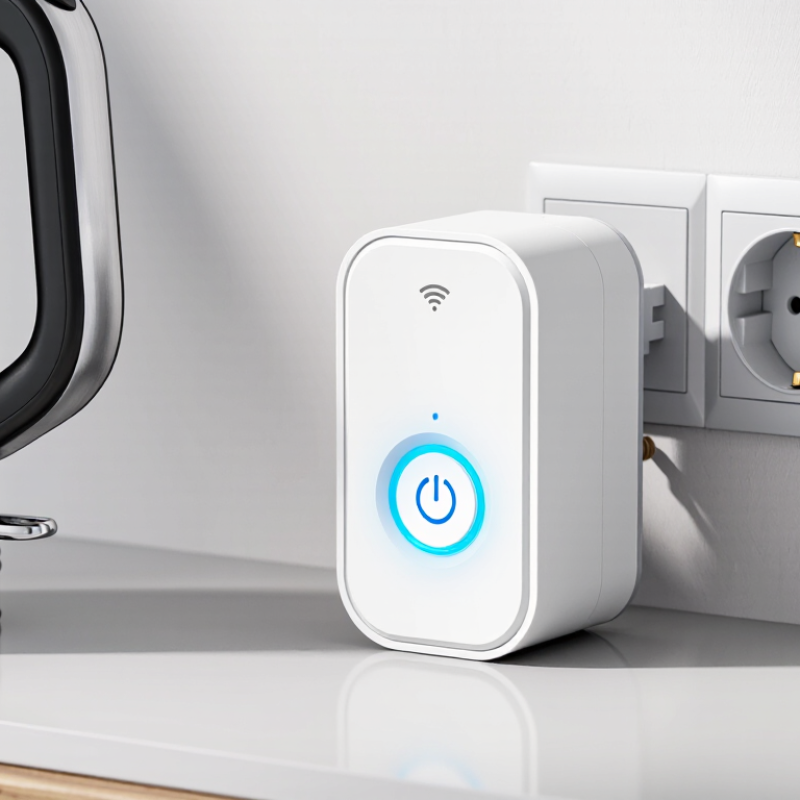
A smart plug is a compact electrical adapter that adds digital control to an ordinary appliance. It contains a relay, wireless connection, and sometimes an energy meter. You plug it into a wall socket, then connect a lamp, fan, or coffee maker through it. The appliance still uses its original controls. The smart plug simply manages the power reaching it. It is a small relay. No electrician is usually needed.

Through a mobile app or voice interface, users can switch the outlet on, set schedules, and create countdown timers. Some models measure voltage, current, and energy consumption in real time. A practical example is a desk lamp that turns off automatically at bedtime, even when nobody remembers the switch. The International Energy Agency’s 4E initiative reports that standby consumption can account for roughly 5–10% of household electricity use. Smart plugs may reduce this waste when they fully cut power.

However, a smart plug is not a universal energy-saving device. It cannot improve an inefficient appliance, and some equipment should not be disconnected suddenly. Heating devices require extra care because plugs can become warm under heavy loads. Connectivity also matters; a weak wireless signal can delay commands or interrupt schedules. That promise has limits. The U.S. Department of Energy advises checking standby use, load ratings, and safe operating instructions before relying on automated control.

How Does a Smart Plug Work?

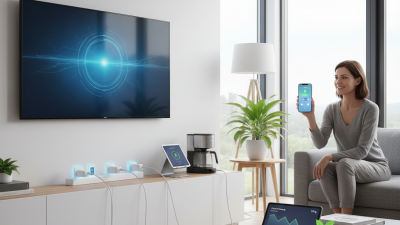
A smart plug is a small device placed between a wall outlet and an ordinary appliance. It adds remote control without changing the appliance itself. Inside, a wireless communication chip receives commands from a phone, voice assistant, or local network. A relay then opens or closes the electrical circuit. When the relay closes, power reaches the appliance. When it opens, the appliance stops receiving power.

How does a smart plug work in daily use?

After setup, the plug connects to a home network or another supported wireless system. The control app sends an instruction through that connection. Some models process the command locally, while others depend on an internet service. This difference matters when the internet fails. A scheduled rule can turn a lamp on at sunset or switch off a heater after a selected period. Some plugs also measure voltage, current, and energy use.

In hands-on use, placement affects reliability.

Thick walls, crowded wireless channels, and loose outlets can cause delays. A plug may also fail to restart an appliance after a power cut if that appliance has a physical button. Check the plug’s rated load before connecting high-power equipment. Heat from an overloaded connection is a warning sign, not a minor inconvenience. I have found automation useful, but it is not perfectly predictable. A schedule can be saved correctly and still run late after a network interruption. Regularly checking settings and touching the plug for unusual warmth adds a practical layer of safety.

What Features Do Smart Plugs Offer?

A smart plug adds digital control to an ordinary electrical outlet. Its main features include remote switching, scheduling, timers, and voice control through a connected home system. Users can turn off a lamp from another room or program a heater to operate before breakfast. Small device. Quiet control. Many models also support energy monitoring. They display current power, daily consumption, and estimated costs through a mobile application. This information can reveal a television drawing power overnight or a desk device using more electricity than expected.

The International Energy Agency estimates that standby power may represent 5–10% of household electricity use. A smart plug can reduce some of that waste by cutting power during scheduled periods. The U.S. Department of Energy also identifies standby consumption as a practical efficiency concern in homes. However, energy data is not always perfectly precise. Readings may vary with load size, calibration, and network interruptions. That detail matters. A reliable plug should offer overload protection, clear electrical ratings, secure account controls, and a manual button for offline use. Wi-Fi dependence can also become frustrating when the router fails. I once considered remote control the most useful feature, but scheduling often saves more effort. Still, users should not place high-power heating or motor-driven equipment on a plug without checking its rated capacity. Convenience needs limits.

How Do You Set Up and Use a Smart Plug?

A smart plug sits between a wall outlet and an appliance, adding remote control without replacing the appliance. To set one up, inspect its rated voltage and maximum load before connecting anything. A heater or motor may draw more power than expected. Use the plug only within its published limits.

Safety comes first.

Download the control app from a trusted source, create an account if required, and follow the pairing instructions. Most plugs need a nearby Wi-Fi network, usually 2.4 GHz, during setup. Put the plug close to the router at first. This reduces pairing failures.

Insert the smart plug into the wall, then connect a lamp or another suitable device. Keep the appliance switched on, so the plug can control its power. In the app, select “add device” and press the setup button until its indicator flashes. Enter the network details carefully. A wrong password can look like a hardware fault.

After pairing, rename the plug by location, such as “desk lamp.” Test the on and off controls nearby. This catches simple mistakes early.

You can then schedule routines, set timers, or control the plug remotely when internet access is available. Some models support energy monitoring, but readings are estimates rather than laboratory measurements. Never leave high-heat appliances unattended unless the instructions clearly permit it.

I have found schedules useful, yet they can fail after a router change or power outage. Review them occasionally. If the plug becomes hot, smells unusual, or disconnects repeatedly, unplug it and investigate before using it again.

What Are the Benefits and Limitations of Smart Plugs?

A smart plug is a small control point between a wall outlet and an appliance. It connects through Wi-Fi or another local network. Users can switch devices remotely, create schedules, and sometimes measure electricity use. In daily life, this could mean turning off a desk lamp at 11 p.m. or starting a fan before entering a warm room.

The strongest benefit is control over wasted standby power. The U.S. Department of Energy reports that standby power can represent 5% to 10% of household electricity use. A smart plug can cut power to suitable devices during inactive hours. Its energy monitor may also reveal surprising patterns, such as a television drawing power overnight. The International Energy Agency has repeatedly identified connected devices and standby consumption as important efficiency concerns. Small savings can accumulate.

The limitations deserve equal attention. A plug cannot make an inefficient appliance efficient. It also needs reliable network access for remote commands, although many schedules can run locally. Maximum load ratings matter, especially with heaters, kettles, and motors. Users should follow electrical safety instructions and avoid daisy-chaining adapters. The National Electrical Manufacturers Association emphasizes using properly rated, certified equipment for electrical safety. Data readings may also be estimates, not laboratory measurements. The numbers are useful, but not perfect. A practical review should compare the plug’s reading with a trusted meter before making major decisions.

What Is a Smart Plug and How Does It Work? - What Are the Benefits and Limitations of Smart Plugs?

A practical comparison of smart-plug functions, benefits, typical specifications, and common limitations

Smart Plug Features, Benefits, and Limitations
Data Dimension Typical Smart Plug Information Main Benefit Common Limitation or Consideration
Basic Function Connects an electrical device to a wall outlet and controls power through an internal relay. Adds remote switching without replacing the connected appliance. It usually cannot control an appliance that has no physical power switch or standby mode.
Control Methods Common options include a mobile application, physical button, voice assistant, schedules, and automation routines. Users can control devices from nearby or remotely, depending on network access. Remote and voice control may stop working if the plug, router, cloud service, or account is unavailable.
Communication Models may use Wi-Fi, Bluetooth, or a dedicated low-power home-automation network. Wireless communication reduces the need for new control wiring. Compatibility, range, setup requirements, and internet dependence vary by communication method.
Typical Voltage Designed for the electrical system in the intended country; many household models support approximately 100–240 V AC, but not universally. A compatible model can be used with many household lamps, chargers, fans, and small appliances. The plug must match the local voltage, frequency, outlet design, and electrical regulations.
Typical Load Rating Many household models are rated around 10–16 A, with maximum wattage determined by the local voltage and product specification. Suitable for numerous low- and moderate-power appliances when used within the rating. High-power heaters, ovens, motors, and compressors can exceed limits or create high inrush currents.
Scheduling Supports timed on/off schedules, countdown timers, sunrise or sunset routines, or calendar-based rules. Automates recurring tasks and can reduce unnecessary operating time. Schedules may be affected by incorrect time-zone settings, power loss, connectivity problems, or daylight-saving changes.
Energy Monitoring Some models measure voltage, current, power, and estimated energy consumption; others provide no measurement data. Can help identify standby consumption and compare usage patterns. Measurements are estimates with model-dependent accuracy and should not replace certified utility meters.
Standby Consumption The plug itself consumes a small amount of electricity while connected, commonly from less than 1 W to a few watts depending on design and network activity. Efficient models can provide automation with relatively low operating overhead. Always-on network operation can offset part of the energy saved by switching appliances off.
Installation Usually requires inserting the plug into a compatible wall outlet, pairing it with an application, and connecting it to a network when applicable. Typically requires no electrician for ordinary indoor use. Initial setup may require an account, application permissions, network credentials, or a compatible phone.
Automation Potential Can respond to time, motion sensors, temperature conditions, geolocation, or other connected-device events. Enables routines such as turning lights on at a set time or switching equipment off automatically. Advanced routines may depend on additional sensors, a hub, an internet connection, or multiple compatible devices.
Safety Features Depending on the model, features may include overload protection, over-temperature protection, grounded connections, and child-resistant designs. Can add monitoring and protection features to ordinary plug-in equipment. Safety features do not make an overloaded circuit safe; users must follow electrical codes and the product rating.
Physical Design Usually larger than a basic plug and may block an adjacent outlet, especially on compact wall plates or multi-outlet strips. A compact design can fit many everyday household applications. Size, button placement, and outlet clearance should be checked before installation.
Power Recovery Behavior After a power interruption, settings may restore the previous state, remain off, or turn on, depending on configuration. A suitable recovery setting can support unattended equipment and automated routines. An incorrect setting may unexpectedly restart an appliance after power returns.
Internet Dependence Some functions work locally, while remote access and certain integrations may require an internet connection or external service. Local control can continue during some internet outages on supported systems. Cloud-dependent features may be unavailable during service interruptions or if a service is discontinued.
Privacy and Security Connected models may process account details, device status, usage information, and network data. Security updates and access controls can help protect connected-device operation. Users should review permissions, use strong unique passwords, enable available security features, and update firmware.
Best-Suited Devices lamps, fans, chargers, decorative lighting, coffee makers with mechanical switches, and other compatible low- or moderate-power devices. Provides convenient automation for equipment that resumes operation when power is restored. Not every appliance is suitable, particularly devices requiring manual activation after power is supplied.
Poor-Suited Devices High-current heating equipment, medical equipment, heavy-duty motors, refrigerators, and appliances with complex electronic controls require special care. Evaluating the load first can prevent unreliable operation and reduce safety risks. A smart plug may be unsuitable, may void instructions, or may require a purpose-built control system.
Overall Value Combines remote control, scheduling, and optional energy information in a relatively simple add-on device. Can improve convenience, routine automation, and awareness of electricity use. Benefits depend on correct installation, appliance compatibility, network reliability, and responsible use.

Note: Electrical ratings, supported features, wireless requirements, and safety certifications vary by model and region. Always follow the product documentation and local electrical regulations.